> For the complete documentation index, see [llms.txt](https://taskoncommunitys-organization.gitbook.io/entity-hub-for-business-end/llms.txt). Markdown versions of documentation pages are available by appending `.md` to page URLs; this page is available as [Markdown](https://taskoncommunitys-organization.gitbook.io/entity-hub-for-business-end/token-flow.md).
# Token Flow
## What is Token Flow?
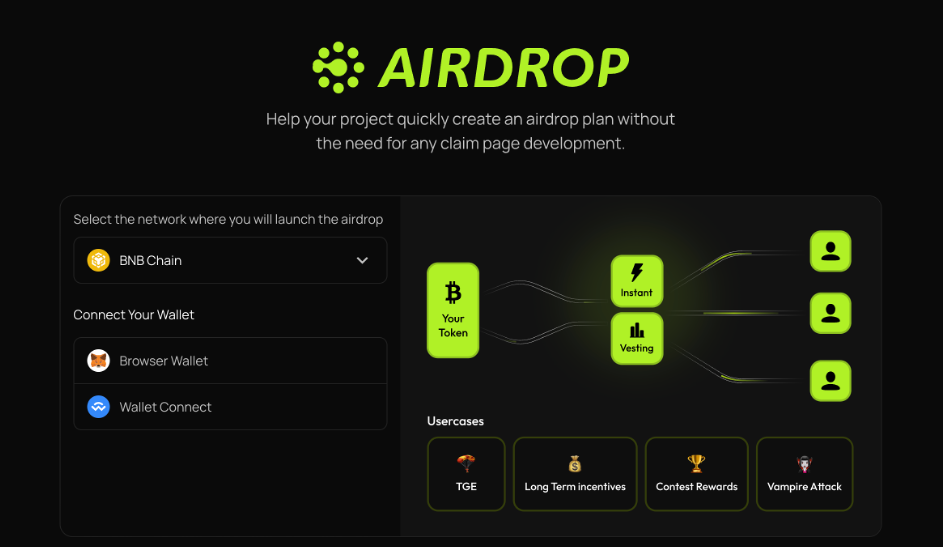
Token Flow is one of the core features of the TaskOn platform, integrated within the AirDrop functionality. Designed specifically for Web3 project teams, it enables automated, programmable token distribution and reward management. Leveraging on-chain smart contracts, it ensures transparent and efficient token flow, suitable for scenarios such as airdrops, community incentives, and event rewards.
All operations are executed directly within TaskOn, eliminating the need to switch platforms. Built-in switching features ensure a seamless and secure user experience.
**Token Flow is integrated into the airdrop feature.**An airdrop is a marketing strategy employed by blockchain projects to distribute free tokens or coins to a large number of wallet addresses. It can increase visibility, generate buzz, and attract attention to a project, especially during its early stages. By distributing tokens widely, projects aim to stimulate network effects, encouraging greater adoption and usage of their platforms or services.
The Airdrop feature can satisfy 4 major needs: `TGE`, `Long Term Incentives`, `Contest Rewards`, and `Vampire Attack` .
## Core Feature Highlights
\
**1.Precision Targeting**\
Enables filtering target users by on-chain behaviors (e.g., token holders, NFT owners) or custom lists (via CSV file uploads).
**2. Vampire Attack**\
Executes vampire attacks through token airdrops by:
* Targeting incentives to specific users
* Offering substantially higher rewards than competitors
* Siphoning liquidity from rival protocols via user migration
**3. Multi-Chain & Multi-Token Support**\
Compatible with 3+ chains (Sepolia, BNB Chain, Base) and assets:Token,NFT
**4.Automated Execution**\
Triggers token distribution automatically upon:
* Task completion
* Pre-set deadlines\
(Zero manual intervention required)
**5. Cost Optimization**\
Implements batch transfers to:
* Dramatically reduce Gas fees
* Maximize efficiency for large-scale airdrops
### Typical appliation scenarios
| Scene | Operation process |
| --------------------------------------- | ---------------------------------------------------------------------------------------------------------------------------------------------------------------------------------------------------------------- |
|
TGE
| Drives initial token adoption and community growth through targeted, cost-efficient airdrops |
| LongTerm incentives | Sustains user engagement and loyalty with flexible, gamified reward systems, fostering ecosystem development.medium |
|
Contest Rewards
| For distributing Quest campaign rewards, if project owners wish to handle payouts themselves, they can upload a CSV file and automate the process using TokenFlow. |
|
Vampire Attack
| Conduct a Vampire Attack by airdropping tokens to specific token-holding addresses — offering substantially higher incentives than competing protocols to attract user migration and siphon off rival liquidity. |
## How to create an Airdrop plan
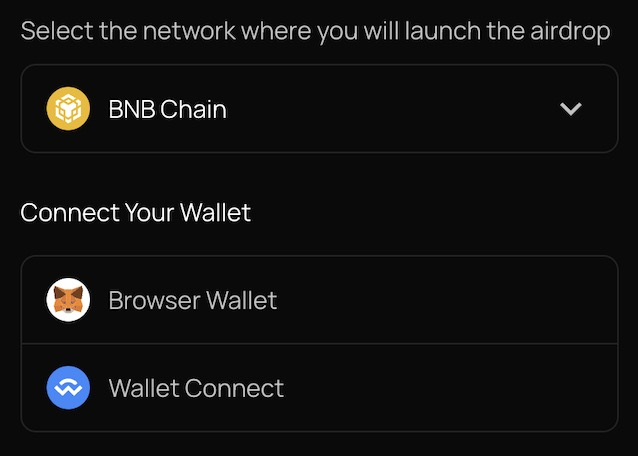
### Step 1 Select the network
Currently, we support 3 chains: `Base`, `BNB Chain`, and `Sepolia`.
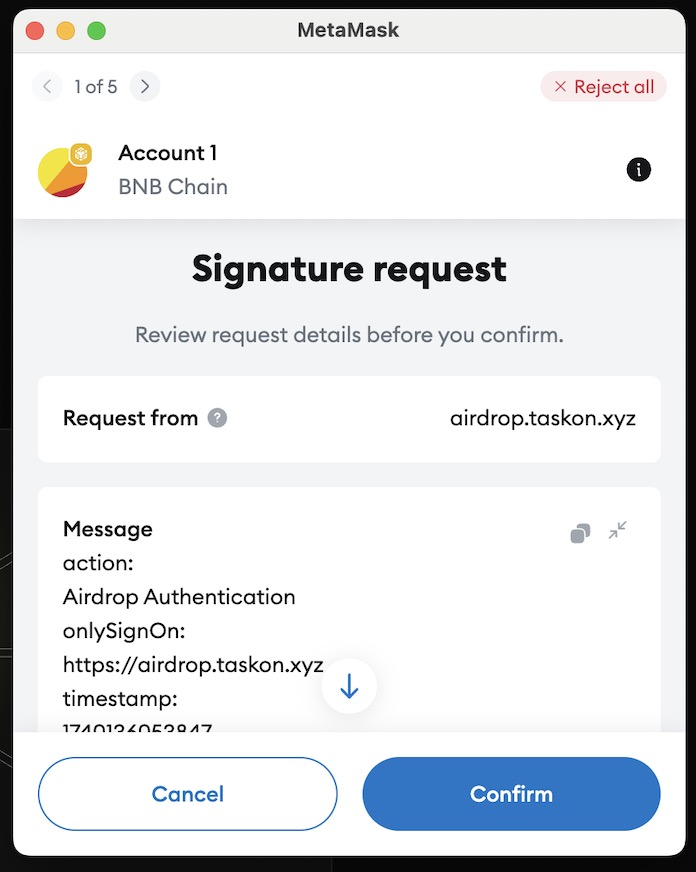
### Step 2 Connect your wallet
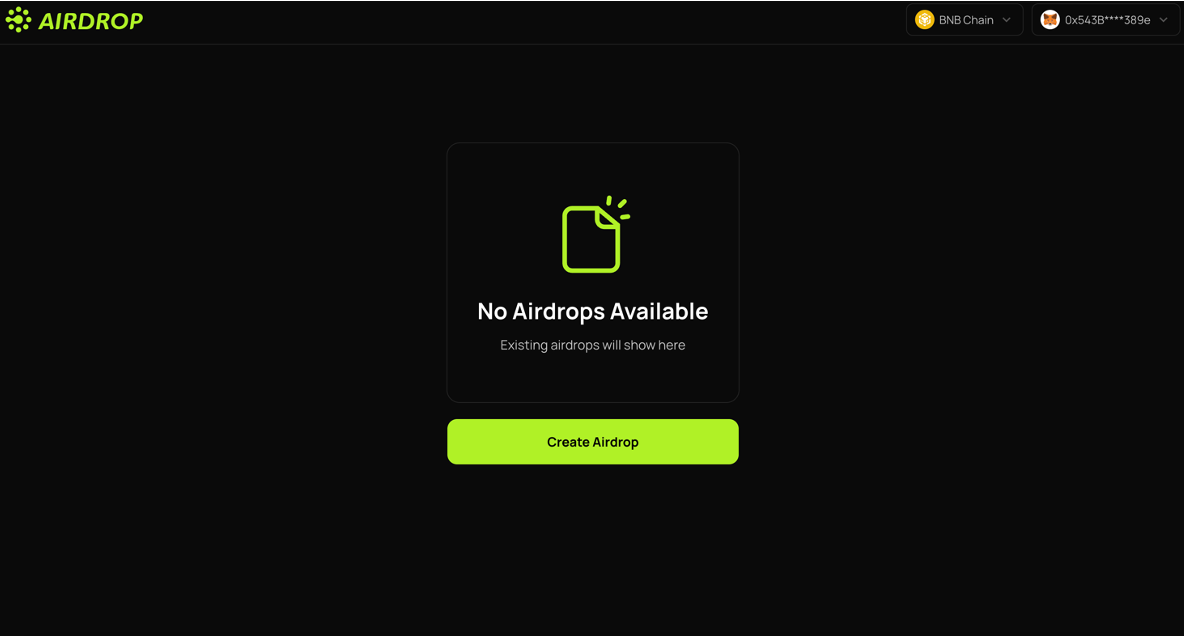
### **Start creating your first Airdrop!**
## Step 3 Add Recipients
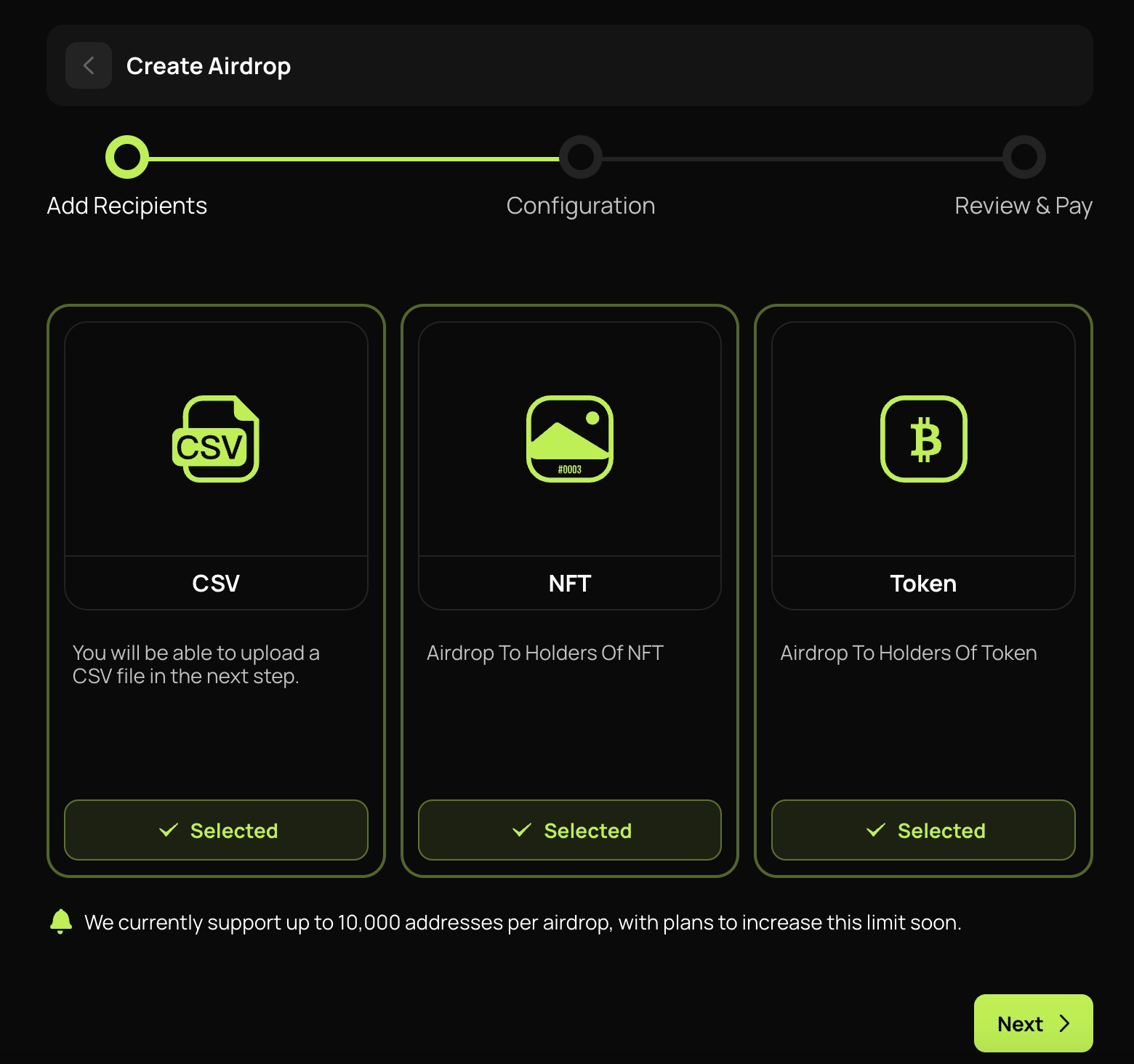
There are three ways for projects to add their recipient list. They can upload a CSV file, enter the address of an NFT, or enter the address of a token. Please notice that more than one option can be selected.
## Step 4
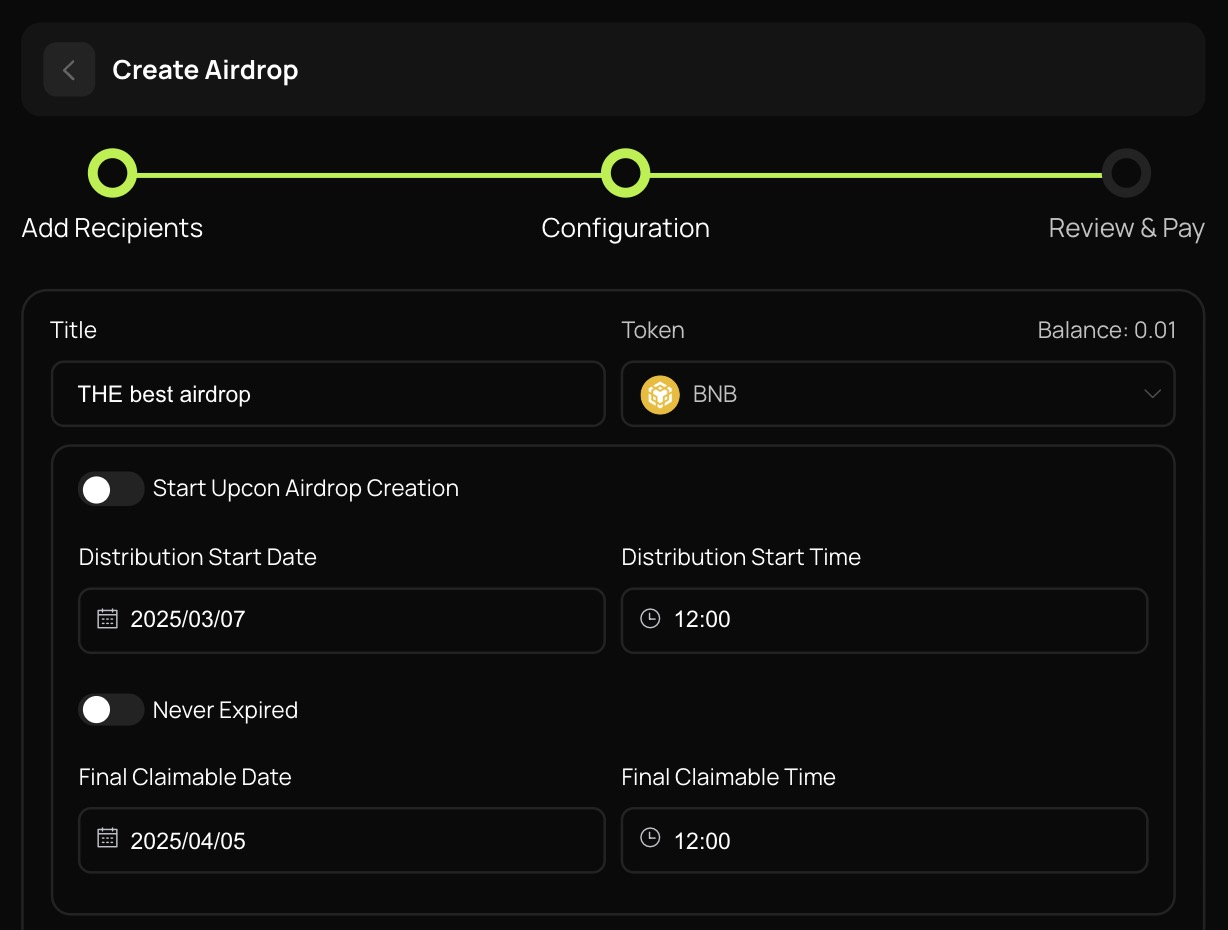
Create a title for your upcoming airdrop and choose the token to be distributed.
## Step 5
Choose the `distribution start date/time` as well as the `final claimable date/time`. You can also set the airdrop `Never Expired`.
## Step 6
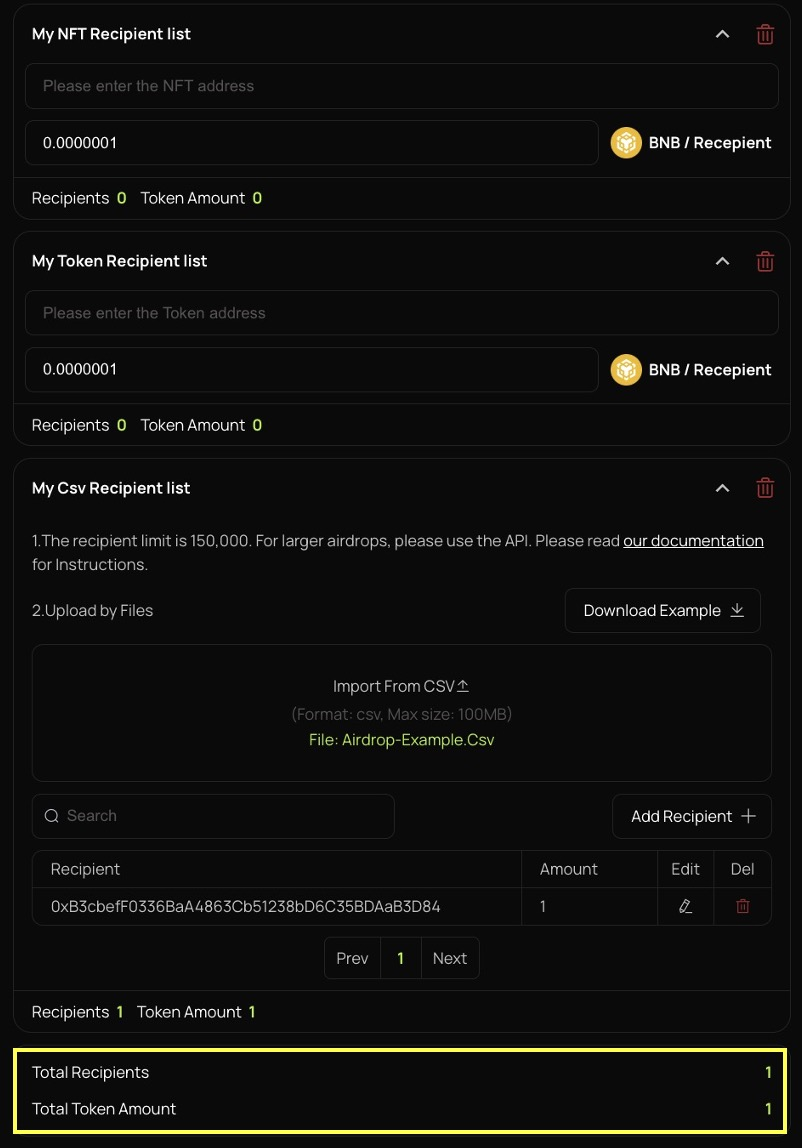
Subsequently, add your recipient list.
For `NFT` and `Token`, please enter the addresses.
For `CSV list`, please upload the file. We have provided a downloadable file, in which you need to provide the addresses of the recipient as well as the amount of the token that each recipient will receive.
At the bottom of the page, you will see `Total Recipients` and `Total Token Amount` for this airdrop for your review.
## Vested Airdrop
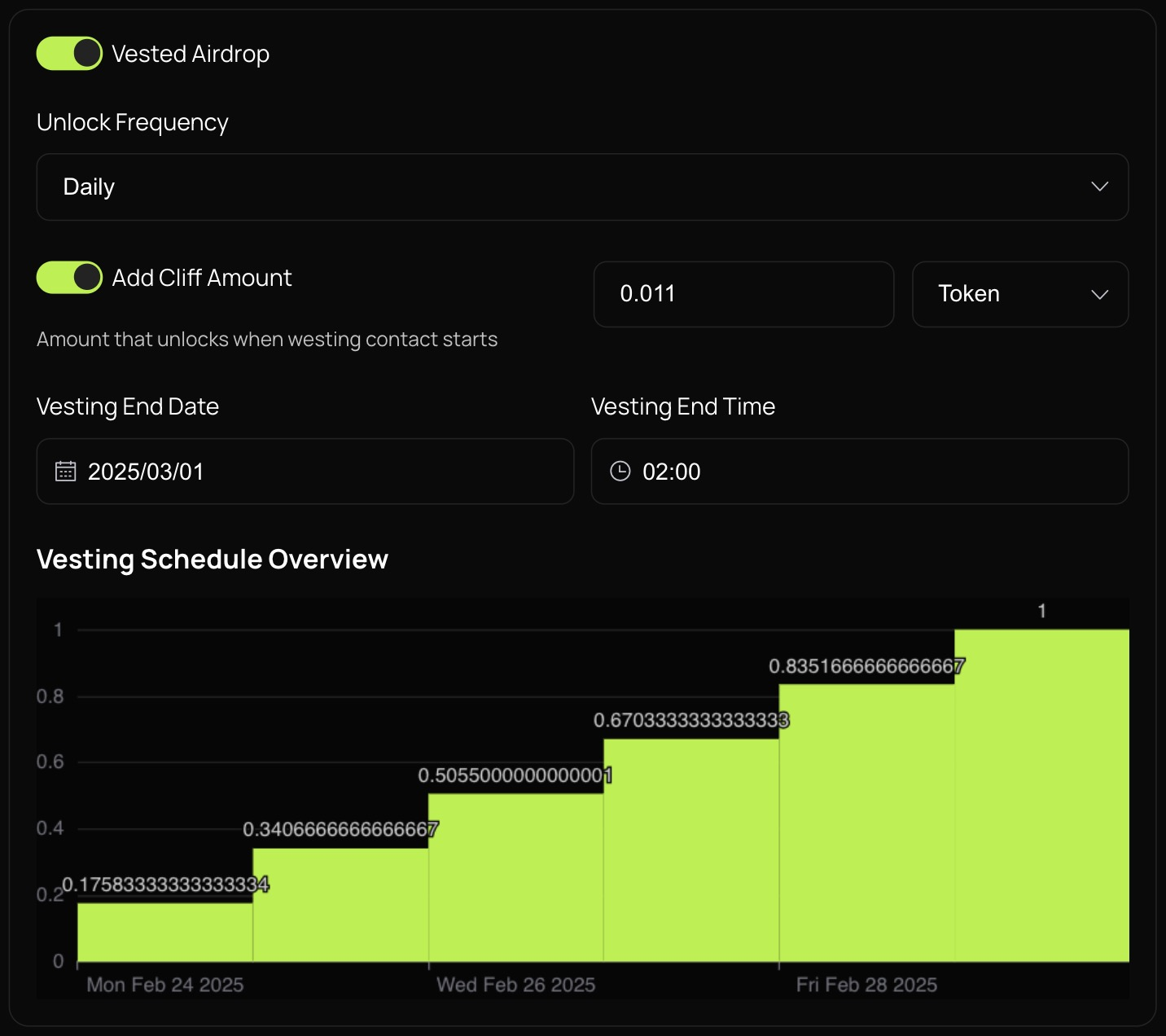
`Vested airdrop` is a special distribution method, with which the recipients can claim tokens at different intervals, and each time in a different amount.
Please notice that with vested airdrop, Never Expired is no longer an option. You must choose a `Vesting End Date/Time`.
**Unlock Frequency:** You can choose between Per second, minute, hourly, daily, weekly, bi-weekly, monthly, quarterly and yearly. This means that the recipient can claim the token after each chosen interval.
**Cliff Amount**: This means that between each interval the amount of the token is different. You can choose between `Percentage` and `Token`. The amount of token that the recipient can claim at each interval will increase by the chosen percentage/amount, and the full amount will equal the amount that you have chosen above.
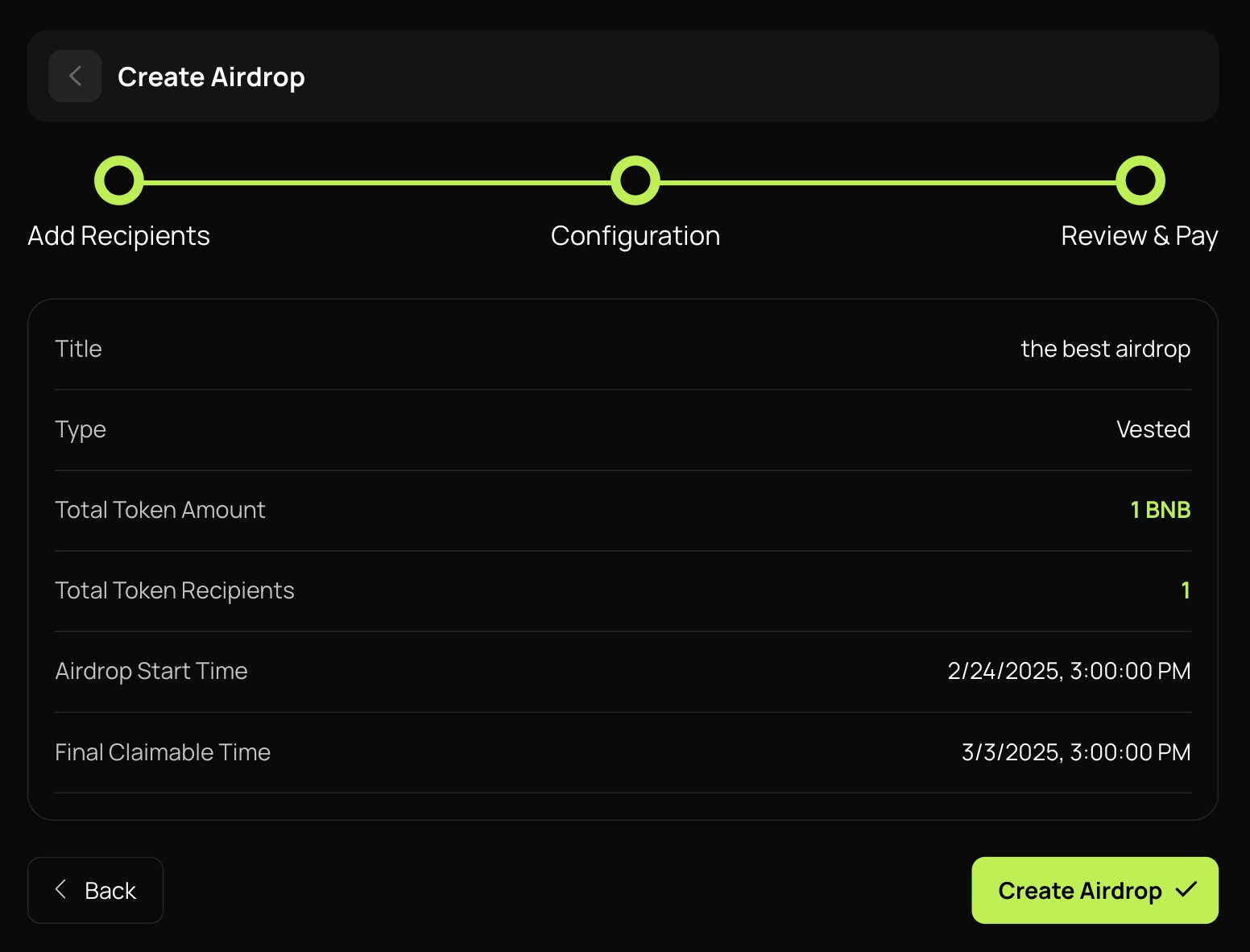
## Step 7
After reviewing all the information, you can review & pay.
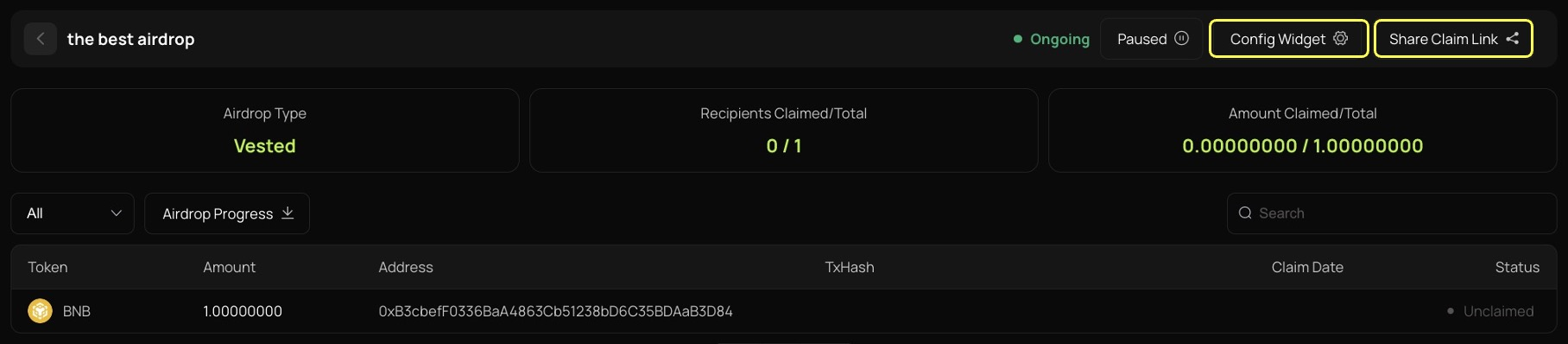
## Step 8
Then, you will see the ongoing airdrop. You can click the `Share Claim Link` button to copy the link.
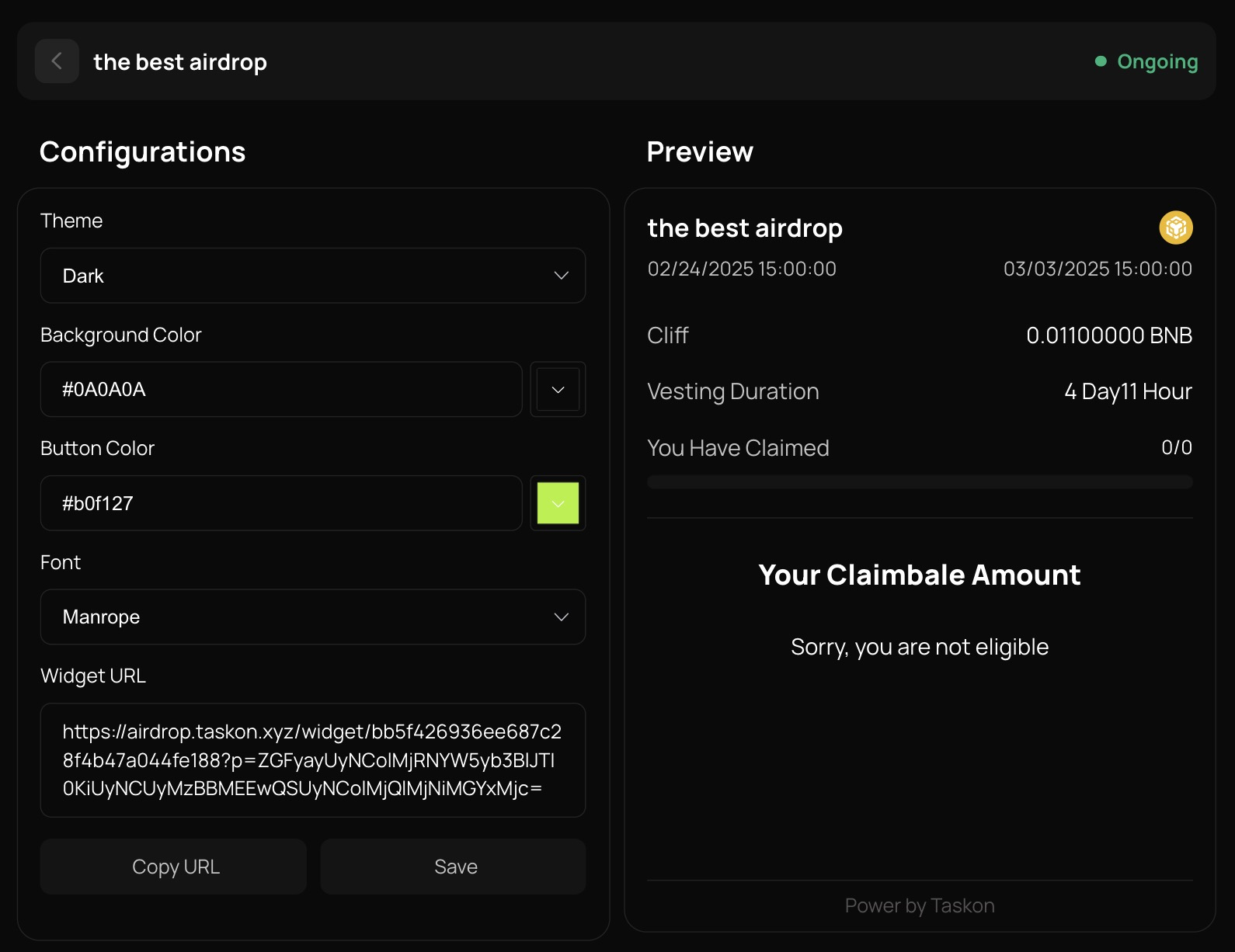
Click the `Config Widget` button, and you will be able to insert the widget into external websites.
## Why Choose Token Flow?
Reduced Operational Costs: Saves 90% of manual distribution time.
Enhanced User Trust: Transparent on-chain distribution records.
Targeted Incentives: Reaches genuine users while filtering out bots and reward farmers.